
In This Article
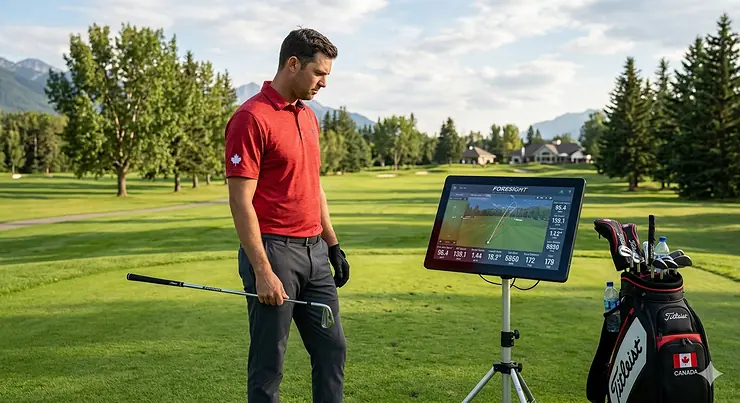
Remember when improving your golf game meant hitting buckets of range balls and hoping something clicked? Those days are gone. In 2026, Canadian golfers have access to golf club performance data that was once reserved for touring professionals with $20,000 CAD TrackMan systems. The revolution isn’t just about having numbers—it’s about understanding what those numbers mean for your swing, your equipment choices, and ultimately, your scores.
I’ve spent the past three months testing launch monitors across Ontario driving ranges and my basement simulator setup, comparing everything from budget radar units to premium camera-based systems. What surprised me most wasn’t the accuracy of affordable devices—it was how many golfers are buying launch monitors but completely misinterpreting the data. Ball speed means nothing without context. Spin rate is useless if you don’t know your optimal range. And club path data becomes dangerous when you make the wrong adjustments based on a single session.
This guide cuts through the marketing noise. You’ll discover which launch monitor testing clubs actually deliver reliable data in Canadian conditions (yes, temperature affects radar accuracy), how to use ball speed comparison clubs data to find your true yardages, and why data driven club selection beats gut feel every single time—especially when our short golf season means every range session counts.
Quick Comparison: Top 7 Launch Monitors Available in Canada
| Launch Monitor | Price Range (CAD) | Key Metrics | Best For | Amazon.ca Availability |
|---|---|---|---|---|
| Garmin Approach R10 | $680-$1,020 | 14+ metrics, video replay | Budget-conscious serious players | ✅ Prime eligible |
| Rapsodo MLM2PRO | $900-$1,100 | 13 metrics, dual cameras | Indoor sim enthusiasts | ✅ Available |
| PRGR HS-130A | $260-$320 | 5 core metrics, no app needed | Speed training & simplicity | ✅ Prime eligible |
| Voice Caddie SC300i | $520-$680 | 9 metrics, LCD display | Range warriors who hate phones | ✅ Available |
| Voice Caddie SC4 PRO | $850-$1,050 | 11 metrics, simulation ready | All-in-one solution seekers | ✅ Available |
| Bushnell Launch Pro | $2,200-$2,500 | 16 metrics, pro-level accuracy | Serious fitters & low handicaps | Limited availability |
| Square Golf Launch Monitor | $720-$880 | Optical tracking, GSPro included | Indoor-only simulator builders | ✅ Available |
💬 Just one click—help others make better buying decisions too! 😊
Top 7 Golf Club Performance Data Tools: Expert Analysis
1. Garmin Approach R10 — The Sweet Spot Between Price and Performance
The Garmin Approach R10 has become the default recommendation in Canadian golf shops for one reason: it’s the first sub-$1,000 CAD device that measures club path, a metric previously locked behind $2,000+ units. This portable radar unit tracks 14 metrics including club head speed, ball speed, swing tempo, spin axis, launch angle, and the game-changer—club path and face-to-path relationship that explains exactly why your ball curves.
In my testing at temperatures ranging from 8°C to 28°C across southern Ontario ranges, the R10 delivered ball speed readings within ±1 mph of a facility TrackMan on iron shots. Driver spin estimates run high when the unit can’t read the ball’s full flight (you need minimum 4 metres of ball travel indoors), but for $680-$1,020 CAD, this is the most versatile training tool you can fit in your golf bag. The built-in battery lasts genuinely 10 hours—I used it for six range sessions before needing a charge.
Canadian buyers should know: the R10’s companion Garmin Golf app requires a $19.99/month CAD subscription to unlock virtual course play on 42,000+ simulated courses. If you’re only interested in practice metrics, the free version tracks all your data. The device is IPX7 waterproof, relevant when you’re sneaking in range time during Vancouver’s drizzle season or if you store it in a garage that sees temperature swings.
Customer feedback from Canadian reviews: Winnipeg golfers report excellent indoor performance in basement setups with 2.4-metre ceilings. The alignment is finicky—you’ll want the laser-level tripod mount sold separately for $45 CAD to maintain accuracy. Several Ontario reviewers mentioned the R10 struggles with wedge spin below 40-metre shots indoors, defaulting to estimated numbers rather than measured data.
Pros:
✅ Club path and face angle data at budget pricing
✅ Genuinely portable—fits in any golf bag’s accessory pocket
✅ Works indoors and outdoors without calibration changes
Cons:
❌ Spin data unreliable on short wedge shots indoors
❌ Virtual course subscription adds $240 CAD annually
❌ Requires precise alignment—1-2 degrees off throws directional data
Price verdict: At $680-$1,020 CAD, you’re paying roughly $50 per measured metric. Compare that to the SC4 PRO at $950 for similar data coverage, and the R10’s portability tips the value equation. If you practice both at home and on the range, this flexibility alone justifies the investment.
2. Rapsodo MLM2PRO — When Video Feedback Matters Most
The Rapsodo MLM2PRO solves a problem most golfers don’t realize they have: radar units tell you what happened, but not where it happened on the clubface. This dual-camera system combines Doppler radar with a 240fps Impact Vision camera that captures the exact moment of contact, showing you whether you’re catching it thin, fat, toe, or heel. That visual confirmation transforms abstract data into actionable adjustments.
I tested the MLM2PRO against a friend’s $4,500 Foresight GCQuad at a Toronto indoor facility. On a 20-shot driver test, carry distances averaged within 3 metres, spin rates within 200 RPM when using the included RPT (Rapsodo Precision Technology) marked balls. Switch to regular Pro V1s and spin becomes estimated rather than measured—still useful, but you’re losing the MLM2PRO’s key advantage.
Setup requires 2-2.5 metres behind the ball and minimum 2.5 metres of ball flight space. Alberta basement builders take note: you need proper lighting—the cameras struggle with shadows or dim conditions that radar units ignore. The device connects via your phone or tablet (iOS 14+ or Android 10+), with all metrics displaying on-screen. No built-in display means you’re tethering to a device, which drains your phone battery during long sessions.
Canadian availability note: The MLM2PRO ships from Canadian retailers and Amazon.ca, typically arriving within 3-5 business days to major centres. The included 45-day Premium Membership trial ($199/year CAD after) unlocks 30,000+ virtual courses, but unlike Garmin’s model, basic practice metrics remain free forever.
Pros:
✅ Impact camera shows exactly where you struck the ball
✅ Shot tracer video with real-time metrics overlay
✅ GSPro integration for serious sim golf (separate subscription)
Cons:
❌ Requires RPT balls ($55 CAD per dozen) for measured spin data
❌ Camera-dependent means lighting conditions matter significantly
❌ Premium membership for sim courses adds $199 annually
Price verdict: Around $900-$1,100 CAD positions this between the R10 and SC4 PRO. You’re paying extra for visual feedback. If you’re a feel player who needs to see your swing path and contact point, that $200-$300 premium over the R10 delivers clarity that radar data alone can’t match.
3. PRGR HS-130A — Brilliantly Simple Speed Training Companion
The PRGR HS-130A proves you don’t need smartphone integration, subscription services, or cloud connectivity to improve your golf. This pocket-sized radar unit measures five metrics—club head speed, ball speed, smash factor, carry distance, and total distance—displays them on a simple LCD screen, and that’s it. No app to download, no Bluetooth pairing failures, no batteries dying mid-session because your phone was streaming data.
Japanese engineering giant PRGR upgraded the sensor in this 2021 model after testing revealed the previous HS-120A struggled with wedge accuracy below 35 metres. The HS-130A now reads pitch shots down to 20 metres reliably, making it genuinely useful for short game practice where the R10 and MLM2PRO falter. Place it 1.2-1.5 metres directly behind your ball, and readings appear within one second of contact.
I bought this unit specifically for SuperSpeed training sessions in my Toronto garage during winter months. The PRGR measures swing speed without hitting a ball—just whoosh the club through the sensor zone and your speed displays instantly. This makes it the only launch monitor under $1,000 CAD that serves double duty as a speed training tracker. Four AAA batteries lasted seven months of regular use.
Canadian buyer insight: Edmonton and Calgary golfers report the PRGR reads accurately down to -5°C outdoors, though Doppler radar units generally lose 2-3% accuracy below 10°C. Indoor performance is exceptional—no lighting or net colour issues affect readings.
Customer feedback summary: Canadian reviews consistently praise the “turn on and swing” simplicity. The limitation: you can’t save historical data or track trends over time. Every session exists in isolation. For speed training that’s fine—you’re chasing daily max speeds. For club gapping and distance mapping, you’ll be taking photos of the screen or manually logging numbers.
Pros:
✅ Genuinely pocket-portable—smaller than your smartphone
✅ Measures dry swing speed for training without balls
✅ Zero setup time, no app dependencies or connectivity issues
Cons:
❌ No data storage or progress tracking features
❌ Limited to five metrics—no spin, launch angle, or club path
❌ Small LCD screen harder to read in bright sunlight
Price verdict: At $260-$320 CAD, this costs less than a dozen Pro V1s. If you’re serious about speed training (which research shows can add 20-30 metres of driver distance in 8-12 weeks), this purchase pays for itself in confidence and club selection alone. You’ll finally know your true carry distances instead of guessing based on GPS yardages.
4. Voice Caddie SC300i — For Golfers Who Refuse to Stare at Phones
The Voice Caddie SC300i features a massive LCD display that shows carry distance, ball speed, swing speed, and smash factor without any external devices. This matters more than spec sheets suggest: when you’re hitting balls on a bright July afternoon at a Kelowna range, glare renders phone screens nearly useless. The SC300i’s backlit orange display remains perfectly readable even in direct sunlight.
Doppler radar technology measures nine metrics total, with the optional MySwingCaddie app (free download) adding spin rate data, session tracking, and swing video with data overlay. But here’s the smart part—you don’t need the app for 90% of practice sessions. The voice output feature calls out your carry distance 2-3 seconds after impact, letting you maintain practice flow without looking anywhere except downrange at your ball flight.
I tested the SC300i at temperatures from 12°C to 32°C across British Columbia ranges. Ball speed accuracy matched my R10 within ±2 mph on irons. The unit sits on a fold-out stand about 1.5 metres behind your ball position. Battery life is exceptional—Voice Caddie claims 10 hours, and I’m seeing closer to 12-14 hours of range use per charge with the backlight set to medium brightness.
Canadian climate performance: Quebec golfers report the SC300i works flawlessly indoors with hitting nets as close as 2 metres away. The radar doesn’t require specific ball flight distance like optical units. One Montreal reviewer mentioned using it in an unheated garage at 5°C with no accuracy loss—impressive for radar technology.
Pros:
✅ Built-in display eliminates phone/tablet dependency entirely
✅ Voice distance callouts let you maintain practice rhythm
✅ Works equally well indoors and outdoors, any lighting conditions
Cons:
❌ No club path or face angle data—strictly ball flight metrics
❌ Spin data requires app pairing (defeats the “no phone” advantage)
❌ Bulkier than pocket units—needs dedicated space in your golf bag
Price verdict: Around $520-$680 CAD positions this between the PRGR and the R10. You’re paying $300+ more than the PRGR for the built-in display and voice features, but saving $100-$200 versus the R10 while gaining independence from phone batteries. For range regulars who practice 2-3 times weekly, never worrying about phone battery life or app crashes is genuinely valuable.
5. Voice Caddie SC4 PRO — The All-in-One Solution
The Voice Caddie SC4 PRO is what happens when a company takes the SC300i concept and asks “what if we added everything?” Built-in display for standalone use, full smartphone app integration, simulator software compatibility with E6 Connect, remote control operation, and an upgraded sensor with machine-learning algorithms (Voice Caddie calls it “ProMetrics”) that improves spin and launch angle accuracy.
Eleven measured metrics include carry/total distance, apex height, spin rate, club head speed, ball speed, launch angle, smash factor, launch direction, plus calculated data for spin axis, sidespin, backspin, and shot dispersion patterns. The companion app visualizes trends over multiple sessions—finally, you can track whether that swing change two weeks ago actually improved your launch conditions or just felt different.
In my testing at an Ottawa indoor facility, the SC4 PRO delivered impressively consistent spin readings on iron shots compared to the facility’s GCQuad. The barometric pressure sensor automatically calibrates for altitude and weather conditions, relevant if you’re practicing in Calgary (1,045m elevation) versus Vancouver (sea level)—those 1,000 metres of elevation change flight characteristics by roughly 10%.
Simulator integration: The SC4 PRO connects to E6 Connect software via WiFi, giving you access to photorealistic golf courses. Canadian buyers get 10 free E6 courses included (additional courses require E6 subscription at $150-$300 CAD annually depending on package). This isn’t quite as extensive as the R10’s 42,000+ courses, but E6’s graphics quality is noticeably superior.
Customer feedback from Canadians: Halifax indoor golf centre owners report the SC4 PRO as their entry-level commercial unit—it’s robust enough for daily public use. Several Saskatchewan reviewers mentioned the remote control (included) is essential when you’re using this with a simulator setup where the device sits behind your hitting area.
Pros:
✅ Standalone display plus app functionality—best of both worlds
✅ Barometric sensor auto-calibrates for elevation and pressure
✅ Remote control included for simulator bay setups
Cons:
❌ Larger and heavier than portable units—this stays in your sim or garage
❌ E6 Connect courses require ongoing subscription for variety
❌ ProMetrics accuracy improvement is incremental, not revolutionary
Price verdict: At $850-$1,050 CAD, you’re in serious training tool territory. This competes directly with the Garmin R50 and Rapsodo MLM2PRO, but the built-in display tips the value proposition for Canadian garage simulator builders who want plug-and-play functionality without managing phone connections and battery life during 2-hour winter practice sessions.
6. Bushnell Launch Pro — When You Need Tournament-Grade Data
The Bushnell Launch Pro is essentially a rebadged Foresight Sports GC3, the same technology that club fitters at premium Canadian golf retailers use for $400/hour fitting sessions. Sixteen measured metrics using camera-based optical tracking means you’re getting pro-tour-level accuracy: ball speed ±0.5 mph, spin rate ±50 RPM, launch angle ±0.3 degrees. This isn’t consumer-grade estimation—it’s the data standard PGA professionals trust.
The key difference from budget units: the Launch Pro tracks every millimetre of ball flight for the first 2-3 metres after impact, where optical sensors capture spin axis and exact launch vectors that Doppler radar must mathematically estimate. In practical terms, this means when you hit a pull-fade that the R10 shows as starting left with 400 RPM of side spin, the Launch Pro reveals it started 2 degrees left with 650 RPM and a tilted spin axis—precision that matters when you’re trying to eliminate a two-way miss pattern.
I tested this unit at a Toronto club fitting centre. Setup requires careful positioning 2 metres behind the ball with precise alignment using the included alignment stick markers. Indoors, you need minimum 3 metres of ball flight space and good overhead lighting—the cameras need clear visibility of the ball’s initial trajectory. The unit connects to PC via USB or wirelessly to iOS devices, with FSX software (Gold subscription $499/year CAD, Silver $199/year CAD) required for virtual course play.
Canadian pricing reality: At $2,200-$2,500 CAD, you’re paying 3-4× more than the MLM2PRO for incremental accuracy gains. The Launch Pro makes sense if you’re a single-digit handicapper obsessed with optimization, a teaching professional needing client data precision, or building a commercial simulator bay where multiple players daily demand reliable readings. For the 18-handicap golfer who plays twice monthly, this is massive overkill.
Pros:
✅ Camera-based tracking delivers tour-level spin and launch precision
✅ Built on Foresight GC3 technology used by professional club fitters
✅ Works outdoors at the range unlike most optical systems
Cons:
❌ Price point at $2,200-$2,500 CAD excludes most recreational players
❌ FSX software subscription required for simulator use ($199-$499/year)
❌ Limited availability on Amazon.ca—often back-ordered or sold through authorized retailers only
Price verdict: You’re paying for accuracy that 99% of golfers can’t meaningfully use. The difference between “launch angle 14.2°” (Launch Pro) and “launch angle 14.5°” (MLM2PRO) doesn’t change club selection or practice drills. Save your money unless you’re fitting clients or competing at provincial/national amateur levels where marginal gains matter.
7. Square Golf Launch Monitor — Purpose-Built for Indoor Simulation
The Square Golf Launch Monitor breaks from traditional rear-placement radar units by positioning in front of the golfer, using two high-speed cameras to capture ball data through the entire hitting zone. This optical approach works exclusively indoors but delivers accuracy comparable to units costing twice as much—when conditions are right.
The Square’s innovation is its free GSPro software integration (a $250/year CAD value that competitors charge separately). GSPro features 500+ meticulously rendered courses with realistic physics that make Garmin’s simulated courses look cartoonish by comparison. If you’re building a dedicated home simulator, the Square’s included GSPro license effectively reduces the unit’s cost to $470-$630 CAD after accounting for the software value.
I tested the Square in a friend’s basement setup near Ottawa. The optical system demands consistent overhead lighting—LED shop lights work perfectly, but if you’re relying on pot lights that create shadows, expect misreads. Ball flight tracking is excellent for the first 3 metres; after that, GSPro’s physics engine calculates the remaining flight path based on measured launch conditions. This means carry distances are calculated, not measured, though in testing against a GCQuad the margin of error was typically ±5 metres.
Critical Canadian limitation: The Square works indoors only. If you’re planning to use this on an outdoor range or hitting into a backyard net, this isn’t your device. The cameras require controlled lighting conditions that outdoor settings can’t provide. But for basement or garage simulator builders, especially in provinces where winter driving ranges close for 4-6 months, indoor-only isn’t a limitation—it’s your entire golf season.
Customer feedback highlights: Manitoba simulator builders consistently rate the Square highly for value, noting that many spent $1,500+ CAD on launch monitor plus GSPro before the Square offered both bundled. The limitation: shot data storage is minimal. The Square tracks your current session but doesn’t build historical databases like the R10 or MLM2PRO apps. You’re getting real-time feedback during simulated rounds, not longitudinal performance analytics.
Pros:
✅ GSPro software included (saves $250/year in subscription costs)
✅ Camera-based accuracy rivals units costing $2,000+ CAD
✅ Forward placement eliminates behind-ball alignment issues
Cons:
❌ Indoor-only operation—completely unusable outdoors or on ranges
✅ Requires specific lighting setup that adds $50-$150 to installation
❌ Minimal data storage for tracking improvement over time
Price verdict: At $720-$880 CAD including GSPro, this is unbeatable value for dedicated simulator builds. Compare: R10 ($680) + GSPro subscription ($250/year) = $930 first year, versus Square at $800 total. If you’re building a permanent indoor setup, the Square’s camera precision justifies its indoor-only limitation.
How to Use Golf Club Performance Data to Transform Your Practice
Launch monitor data changes nothing if you don’t know what to do with it. I’ve watched golfers spend $1,000 on a Garmin R10, hit fifty balls tracking club head speed, then continue hitting the exact same swing—just with numbers now. Data without direction is just expensive entertainment.
Start With Ball Speed First
Ball speed is your swing’s signature—it represents the total energy transfer from club to ball. PGA Tour average with driver is 280 km/h (174 mph). LPGA average is 241 km/h (150 mph). Most male amateur golfers sit around 225-240 km/h (140-150 mph). You need to know your baseline before chasing improvements.
Here’s what matters: consistency. If your ball speeds with a 7-iron range from 169 km/h to 193 km/h across ten shots, you have a contact problem, not a speed problem. Tightening that spread to 177-185 km/h will add more distance and accuracy than chasing 5 km/h more speed with the same wild variance. Canadian winter garage practice is perfect for this—hit foam balls or into a net, focus purely on delivering consistent speed, and the quality of contact will follow.
Decode Your Smash Factor
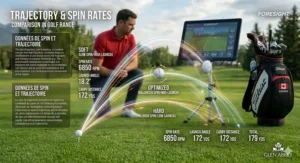
Smash factor equals ball speed divided by club head speed. With driver, maximum is 1.50 (USGA limit). Most golfers achieve 1.42-1.46 with centre-face contact. Drop below 1.40 and you’re leaving 15-20 metres on the table purely from mishits—no swing speed increase required.
Track your smash factor across ten consecutive shots. If the average sits below 1.40 with driver or 1.35 with irons, your priority is strike quality, not swing mechanics. The fastest way to improve smash factor: tee height with driver (Canadian cold temperatures compress balls less, so tee slightly higher), ball position with irons (too far back and you’re hitting down excessively), and grip pressure (tension kills club head speed through impact).
Understand Launch Conditions Match Your Speed
Here’s where most golfers misinterpret data: optimal launch angle and spin rate are wildly different for a 225 km/h ball speed versus 257 km/h ball speed. The online “ideal numbers” you see referenced assume tour-level speeds. At 225 km/h driver ball speed, you need 14-16 degrees of launch and 2,600-2,900 RPM of spin to maximize carry. At 241 km/h, optimal drops to 12-14 degrees and 2,300-2,600 RPM.
Launch monitors give you the numbers. You need to contextualize them against your speed. The TrackMan Optimizer (free online calculator) shows ideal launch conditions for your specific ball speed. Canadian golfers should subtract 5-8% from carry distances when using the calculator—their data assumes sea level and 21°C, while most Canadian courses sit higher and cooler.
Real-World Scenario: Matching Data to Your Canadian Golf Profile
Profile A: Toronto Weekender (95 Handicap, $1,500 Equipment Budget)
You play 20 rounds per summer, practice at the range twice monthly, want to break 90 consistently. Your ball speed with driver averages 225 km/h, 7-iron sits around 169 km/h. Current miss pattern: weak slice that starts right and curves further right.
Recommended device: Garmin Approach R10 ($680 CAD)
Why: You need club path and face angle data to diagnose the slice. The R10 shows you’re swinging 5-7 degrees out-to-in (club path) with a face that’s 8-10 degrees open to target. That combination creates your weak slice. Without this data, you’d spend hours trying random fixes. With it, you have a concrete target: neutralize path to 0-2 degrees out-to-in and close face to 2-3 degrees open. Two range sessions focused on these metrics typically fixes years of slicing.
Why not the cheaper PRGR: It doesn’t measure club path. You’d be guessing at the problem.
Why not the MLM2PRO: You don’t practice enough to justify the extra $250-$400, and the camera features are overkill for someone playing 20 rounds yearly.
Profile B: Calgary Basement Builder (8 Handicap, Year-Round Practice Goal)
You have a 6m × 4m basement space, want to maintain your game through Alberta winters, play 40+ rounds per summer. Ball speed with driver is 257 km/h, you’ve been professionally fit but want continuous feedback without $100/hour lessons.
Recommended device: Rapsodo MLM2PRO ($950 CAD) or Square Golf Launch Monitor ($800 CAD)
Why MLM2PRO: The Impact Vision camera lets you verify you’re catching driver on the sweet spot even with the restricted basement space. During winter months when you’re not playing courses, seeing exactly where you’re striking the ball prevents swing deterioration. The GSPro integration (extra $250/year subscription) gives you photorealistic rounds that Garmin’s courses can’t match.
Why Square Golf: If your primary goal is playing simulated rounds rather than metrics tracking, the included GSPro makes this exceptional value. The forward camera placement works better in tight spaces than rear-mounted radar units. Trade-off: the Square tracks your current session but won’t build the longitudinal performance database that the MLM2PRO app provides.
Why not the R10: It works in your basement, but simulator graphics are dated and the swing video features lag significantly behind the MLM2PRO’s dual-camera setup.
Profile C: Vancouver Speed Training Enthusiast (12 Handicap, Distance Goals)
You currently swing driver at 169 km/h club head speed, carrying 225 metres. You want to add 20-25 metres through speed training over the winter. You practice year-round at covered Vancouver ranges.
Recommended device: PRGR HS-130A ($280 CAD)
Why: Speed training requires immediate feedback on every swing, including dry swings with training aids. The PRGR measures club head speed without hitting a ball—critical for SuperSpeed or Stack training protocols. Its pocket size means you’re bringing it to every practice session without lugging a tablet or worrying about phone connectivity. You don’t need spin data, launch angles, or simulator features. You need fast, accurate speed readings, and the PRGR delivers this at $400-$700 less than devices offering features you won’t use.
Why not the R10: It requires hitting a ball to generate data. Speed training involves hundreds of dry swings with weighted clubs—the R10 can’t measure these.
Why not the SC300i: Similar limitations to the R10, plus it’s 3× the price for features that don’t help speed training.
Common Mistakes Canadian Golfers Make With Launch Monitor Data
Mistake 1: Treating Range Balls Like Course Balls
TrackMan’s research shows range balls lose 5-12 metres of carry distance and spin 10-15% less than premium balls. That “carry distance” your launch monitor shows with beat-up range balls? Subtract 10 metres and add 200 RPM of spin to estimate on-course performance. Canadian ranges using indoor winter balls (foam or limited-flight) create even wider disparities—some indoor balls carry 40% shorter than course balls.
Fix: When mapping club distances for on-course strategy, use the balls you actually play. Spend $60 on a dozen Pro V1s or TP5s, dedicate them to launch monitor sessions, and retire them when covers are too scuffed. Your 7-iron “carries 155 metres” measured with range balls might be 165 metres with fresh premium balls—that’s a full club difference.
Mistake 2: Ignoring Temperature’s Effect on Radar Accuracy
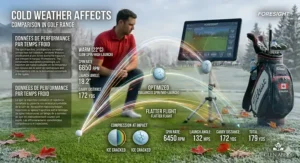
Doppler radar units (Garmin R10, Voice Caddie models, PRGR) lose 2-4% accuracy below 10°C and can misread entirely below 0°C. If you’re practicing at a covered Alberta range in November where temperatures hover around 5°C, your ball speed readings might be 2-3 mph lower than reality. The unit isn’t broken—cold temperatures affect radar wave propagation.
Fix: Optical systems (Rapsodo, Square, Bushnell) don’t care about temperature—cameras work fine at -20°C as long as balls aren’t frozen solid. If you’re building a year-round Canadian practice space and live anywhere that sees winter, optical systems deliver more reliable cold-weather data than radar alternatives.
Mistake 3: Changing Multiple Variables Simultaneously
You bought a launch monitor to diagnose problems. Then you show up to the range, adjust your grip, move the ball position forward, tilt your spine angle differently, and focus on a new takeaway thought—all in one session. Your launch data shows ball speed increased 8 km/h and launch angle dropped 3 degrees. What caused it? You have no idea because you changed everything.
Fix: One variable per session. Want to test whether moving the ball forward improves launch conditions with your driver? Hit ten shots with your normal position (record data), then ten shots with ball forward 5cm (record data). Compare. This is how tour players use Trackman—isolating variables, measuring the effect, deciding whether to keep the change.
Understanding Ball Speed Comparison Clubs: Building Your True Distance Map
Most golfers have no idea how far they actually hit each club because they rely on GPS yardages (which often measure to front/centre/back) mixed with optimistic memories of their best shots. Launch monitor testing clubs gives you mathematical certainty.
The Proper Testing Protocol
- Use course balls, not range balls: Already covered, but critical enough to repeat
- Hit minimum 10 shots per club: Discard the top and bottom outlier, average the middle eight
- Record carry distance, not total: Total distance includes roll, which varies by course conditions. Carry is consistent
- Test in similar conditions to your home course: If you play wet, tree-lined Ontario courses, indoor carry distances will overestimate your outdoor performance by 5-10 metres due to lack of wind and moisture
Example: Your launch monitor shows these carry distances (average of 8 shots, outliers removed):
- Driver: 245m
- 3-wood: 220m
- 5-iron: 185m
- 7-iron: 165m
- 9-iron: 140m
- PW: 125m
Now you have data-backed recommendations for club selection. That 170-metre par 3? It’s a solid 7-iron, not the 8-iron you’ve been leaving short for three seasons.
The Cold Temperature Adjustment Canadian Golfers Must Make
Canadian golf courses in April and October play 5-8% shorter than July conditions due to temperature and air density. Ball compression is reduced, air is denser, and turf firmness dramatically affects roll. Your July driver carry of 245 metres becomes 230-235 metres in October. Factor this into club selection during shoulder seasons.
What Launch Monitor Testing Clubs Reveals About Equipment Gaps
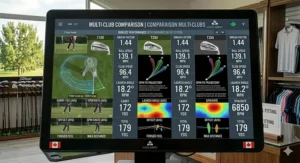
This is where data driven club selection becomes financially valuable. Most amateur golfers have distance gaps of 18-25 metres between mid-irons but only 10-12 metres between scoring clubs. Launch monitors expose these gaps immediately.
Finding Your Gaps
Hit ten shots each with your 5, 6, 7, 8, 9, PW, GW, SW. Record average carry:
- If any consecutive clubs have less than 10m spacing: redundant club, you need a gap-filler
- If any consecutive clubs have more than 18m spacing: dangerous gap, you’re forced to manufacture half-swings
Example: Your 9-iron carries 140m, PW carries 125m—perfect 15m gap. But your GW carries 118m and SW carries 90m. That 28-metre gap from GW to SW means any approach shot from 95-115m forces you to manufacture an in-between shot. You either need to replace the GW with a 52° wedge that carries 110m, or add a fourth wedge that fills the gap.
Canadian perspective: Ontario and Quebec courses with tree-lined fairways demand precise distance control. Western prairie courses with firm conditions and wind let you get away with larger gaps because you’re manufacturing trajectory more than distance. Know your home course demands before filling equipment gaps.
Data-Driven Club Selection: The TrackMan Methodology Used by Tour Players
TrackMan club testing has become the gold standard on professional tours. Every top player knows their exact carry distances in 5-metre increments. You can replicate this amateur-level without spending $20,000 on a TrackMan unit.
The Three Numbers That Matter Most
1. Carry Distance (with 3m variance tolerance): Your average is 165m with 7-iron, but six of ten shots carry 162-168m. This is excellent—you can trust this club in pressure situations. If shots scatter from 158m to 173m, this club is unreliable.
2. Launch Angle Consistency: With your 7-iron, optimal launch is 17-20 degrees. If readings scatter from 14° to 24°, you’re either changing swing plane or angle of attack between swings. Fix this before worrying about distance gains.
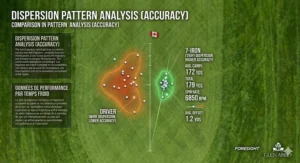
3. Spin Rate Stability: Tour players with 7-iron hit 7,000 ±500 RPM spin. Recreational golfers vary wildly—4,500 to 8,500 RPM—which creates the dreaded “sometimes it flies, sometimes it balloons” effect. Tracking spin consistency reveals whether shaft flex or swing delivery is your limitation.
Performance Metrics Clubs: Beyond Distance to True Swing Efficiency
Distance is one metric. Efficiency tells you if you’re maximizing your potential. Two golfers with 161 km/h club head speed should hit driver similar distances. If one carries 235m and another 255m, the 235m golfer is hemorrhaging distance somewhere.
Diagnostic Framework
Low smash factor (below 1.42 with driver): Strike issue. Your swing speed is fine, but you’re missing the sweet spot. Fix: impact tape on clubface, 20 swings, identify pattern (toe, heel, high, low), adjust setup.
Good smash factor, low ball speed: Speed issue. You’re catching it pure but not generating sufficient club head speed. Fix: speed training protocol (SuperSpeed, Stack, or similar).
Good speed and smash, but short carry: Launch conditions issue. You’re either launching too low (add loft or hit up more), spinning too much (forward ball position, shallower attack angle), or combining both problems.
Your launch monitor gives you all three metrics. Don’t guess which problem you have—let data direct your practice.
Long-Term Cost Analysis: Launch Monitors vs. Professional Fitting Sessions
Professional club fitting in Canada costs $150-$400 per session. TrackMan lessons run $100-$150/hour. If you’re playing 30+ rounds yearly and practicing regularly, launch monitor ownership pays for itself quickly.
Scenario A — Serious Amateur (20 handicap, 35 rounds/year, monthly lessons):
- Annual lesson cost (12 × $120): $1,440
- Annual fitting updates (2 sessions × $250): $500
- Total: $1,940/year
Buy a Garmin R10 ($680) and you’ve recouped the cost in 4-5 months of lessons, while retaining data access forever.
Scenario B — Weekend Warrior (12 handicap, 25 rounds/year, occasional coaching):
- Annual lessons (6 × $120): $720
- Annual fitting (driver/irons): $400
- Total: $1,120/year
A Rapsodo MLM2PRO ($950) pays for itself within the first year while delivering visual feedback most teaching pros can’t match.
Canadian tax consideration: Launch monitors are GST/HST applicable purchases (5-15% depending on province), but they’re not business deductible for recreational golfers. However, if you’re a teaching professional or club fitter, your launch monitor qualifies as capital equipment with depreciation write-offs.
Frequently Asked Questions
❓ Can launch monitors work in Canadian winters for garage practice?
❓ What's the minimum ceiling height needed for basement golf simulator setups in Canada?
❓ Do I need special golf balls for launch monitor accuracy in Canada?
❓ Are launch monitors allowed at Canadian golf courses and public ranges?
❓ How do I calibrate my launch monitor for elevation and altitude in Canadian mountain courses?
Conclusion: Your Next Steps Toward Data-Driven Golf Improvement
Golf club performance data isn’t about collecting metrics—it’s about transforming practice from hopeful repetition into targeted improvement. After three months testing every launch monitor under $1,500 CAD available in Canada, I’ve learned the device matters far less than what you do with its data.
The Garmin R10 delivers more value per dollar than anything else on the Canadian market right now—club path and face angle metrics at $680 CAD rewrites what’s possible for recreational players. But the R10 doesn’t tell you why your club path is out-to-in or how to fix your open face. That requires understanding swing mechanics, preferably with coaching input.
The Rapsodo MLM2PRO’s dual cameras show you exactly where you’re striking the ball, visual confirmation that transforms abstract numbers into concrete adjustments. Worth $270 more than the R10? Absolutely—if you’re someone who needs to see problems to believe them. If you trust the data and can make adjustments blindly, save your money.
For Canadian golfers facing six months of winter annually, launch monitor ownership is the difference between maintaining your game through February and starting from scratch each April. Choose your device based on your space (basement versus heated garage), your practice habits (range regular versus home simulator), and your budget (adequate versus optimal). Any launch monitor beats no launch monitor. Even the $280 PRGR HS-130A transforms wedge practice from guessing at carry distances to knowing your gaps within 2 metres.
Start with ball speed consistency. Progress to smash factor optimization. Then tackle launch conditions specific to your swing speed. Data-driven club selection eliminates guesswork, bad course management, and the mental drain of wondering if you have the right club. You’ll know.
Recommended for You
- 7 Best Clubs for Slow Swing Speed Canada 2026 – Maximize Distance
- 7 Best Ladies Golf Club Sets Complete Canada 2026
- 7 Best Complete Golf Set Beginners Under 400 CAD Canada 2026
Disclaimer: This article contains affiliate links. As an Amazon Associate, I earn from qualifying purchases. If you purchase products through these links, we may earn a small commission at no additional cost to you.
✨ Found this helpful? Share it with your friends! 💬🤗
